


Instagram Scraper API: How to Extract Profiles, Hashtags and Posts with ScrapingBot
Looking for a reliable Instagram scraper API? With over 1.2 billion users, Instagram is one of the biggest social networks in the world — and a goldmine of marketing data. This guide shows you how to use ScrapingBot's Instagram scraper API to extract profiles, hashtags, and posts in clean JSON, without any blocking.
Table of contents
1. Why use an Instagram scraper API?
Instagram is much more than a photo-sharing app. With over 1.2 billion active users, it has become a key platform for brands, marketers, and researchers alike. As a result, using an Instagram scraper gives you access to highly valuable and actionable data:
- Stay up to date with current trends and viral content in your industry
- Understand your audience's interests through hashtag and post analysis
- Benchmark influencers by follower count and engagement rate
- Track competitor brand activity and content performance
- Build social listening pipelines for real-time market intelligence
On top of that, Instagram's public data is rich and diverse — from profile biographies and post captions to likes, comments, and media URLs. Web scraping is therefore the most efficient way to collect all of this automatically at scale.
2. What data can your Instagram scraper collect?
ScrapingBot's Instagram scraper supports three types of data extraction. Below is a breakdown of what you get for each type:
Instagram Profiles scraper
| Field | Description | Type |
|---|---|---|
| username | Instagram handle | string |
| profileImage | URL of the profile picture | string |
| biography | Profile bio text | string |
| externalURL | Link in bio | string |
| followers | Number of followers | integer |
| following | Number of followed profiles | integer |
| posts | Number of posts + post details | array |
| likes (per post) | Number of likes on each post | integer |
| comments (per post) | Comments on each post | array |
| verified | Verified badge status | boolean |
Instagram Hashtags
| Field | Description | Type |
|---|---|---|
| postURL | URL of the post | string |
| authorID | Post author identifier | string |
| mediaURL | URL of the post media | string |
| postText | Caption text of the post | string |
| comments | Number of comments | integer |
| likes | Number of likes | integer |
Instagram Posts
| Field | Description | Type |
|---|---|---|
| postURL | URL of the post | string |
| postDate | Publication date | string |
| postText | Caption text | string |
| likes | Number of likes | integer |
| comments | Number of comments | integer |
| media | Media URLs (images/videos) | array |
| sponsor | Sponsored content indicator | boolean |
| sponsorLinks | Sponsor URL if applicable | string |
3. Technical challenges of an Instagram scraper API
Instagram, as a Meta platform, is one of the most heavily protected social networks against automated access. Before diving into the code, it is essential to understand what you would face trying to scrape it directly:
- Anti-bot detection — Instagram identifies headless browsers and blocks suspicious requests almost instantly.
- JavaScript rendering — Profile and post data loads dynamically; therefore, a plain HTTP request returns an empty shell.
- IP rate limiting — Repeated requests from the same IP trigger temporary or permanent bans.
- Login walls — Most profile data requires authentication, adding another layer of complexity.
- Frequent API changes — Meta regularly updates its infrastructure, which means scrapers break without warning.
4. How ScrapingBot handles them
Automatic IP rotation and JS rendering
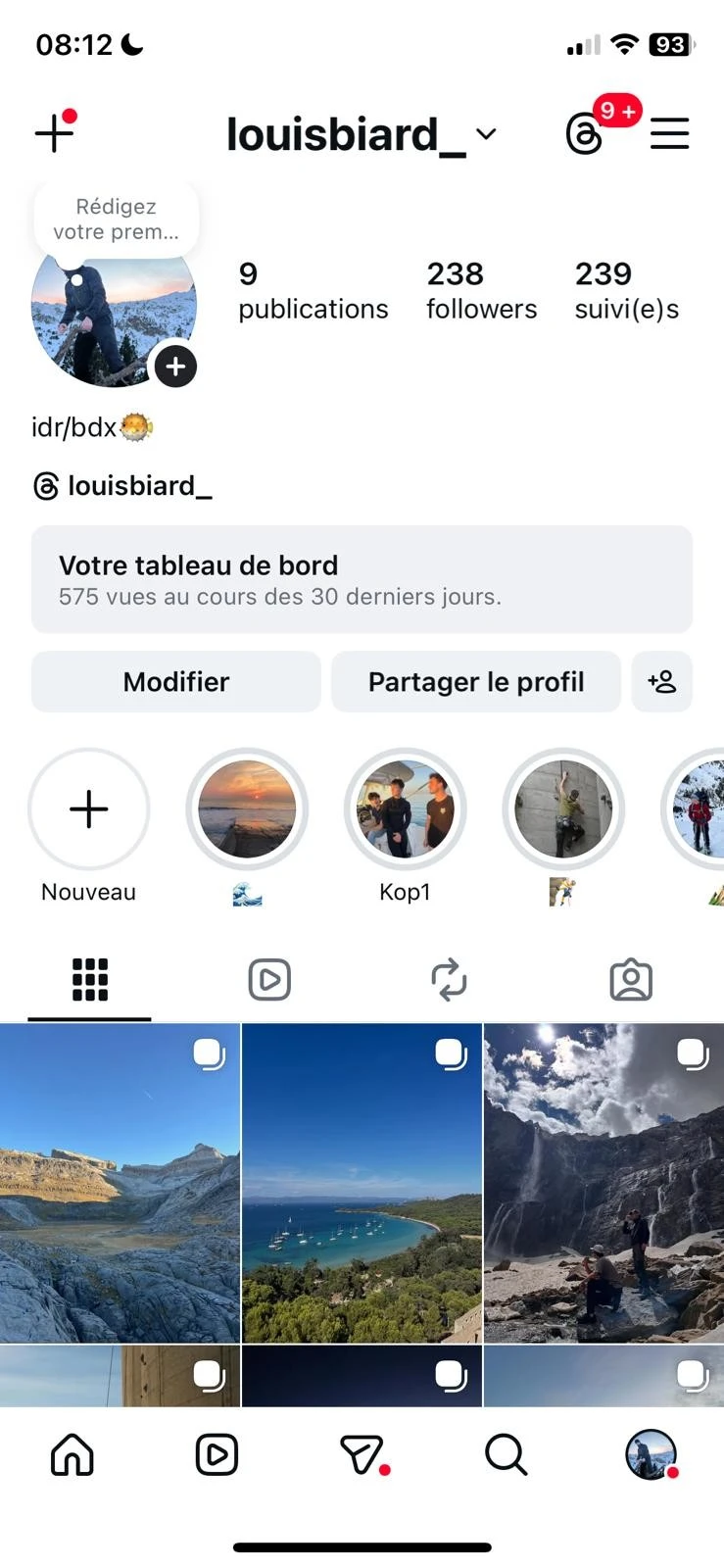
A public Instagram profile — followers, posts, bio and media are all extractable with ScrapingBot's Instagram scraper.
ScrapingBot's Instagram scraper abstracts all of this complexity. It rotates residential IPs automatically, handles JavaScript rendering, and manages authentication layers — so you get clean structured JSON without maintaining any browser automation infrastructure yourself.
Two-step API pattern
In addition, the API uses a two-step request pattern specifically designed to bypass social network protections. First, a POST call initiates the scraping job. Then, once the job is complete, a GET call retrieves the structured result. As a result, you can collect data reliably without worrying about bans or blocks.
5. Step-by-step: build your Instagram scraper API
Step 1 — Create a ScrapingBot account
To get started, ScrapingBot offers free access with 100 credits per month — no payment information required. If you already have an account, simply log in and head to the Documentation.
Step 2 — First API call: get your Response ID
Next, send a POST request to initiate the scraping job. The scraper parameter determines what type of Instagram data you want to extract:
POST http://api.scraping-bot.io/scrape/data-scraperDepending on what you want to scrape, use one of the following configurations:
| Scraper value | Parameter | Description |
|---|---|---|
instagramProfile | account | URL of the Instagram profile to scrape |
instagramHashtag | hashtag | Instagram hashtag to scrape (e.g. #travel) |
instagramPost | url | URL of the Instagram post to scrape |
For example, to scrape an Instagram profile, your request body would look like this:
{
  "scraper": "instagramProfile",
  "account": "https://www.instagram.com/username/"
}scraper value must be exactly instagramProfile, instagramHashtag, or instagramPost — the API is case-sensitive.
Step 3 — Second API call: retrieve your data
Once you have your responseId, send a GET request to fetch the result:
GET http://api.scraping-bot.io/scrape/data-scraper-response?responseId=YOUR_RESPONSE_ID&scraper=instagramProfileShould the scraping job still be running, you will receive a pending message:
{ "status": "pending", "message": "Scraping is not finished for this request, try again in a few" }In that case, retry the GET request after a few seconds. In practice, most requests complete quickly.
Full Python example — scraping an Instagram profile
Here is a complete Python script that handles both API calls and polls until the data is ready:
import requests
import time

USERNAME = "your_username"
API_KEY  = "your_api_key"
AUTH     = (USERNAME, API_KEY)

TARGET_ACCOUNT = "https://www.instagram.com/natgeo/"

# Step 1 — Initiate the scraping job
post_response = requests.post(
    "https://api.scraping-bot.io/scrape/data-scraper",
    json={"scraper": "instagramProfile", "account": TARGET_ACCOUNT},
    auth=AUTH
)
response_id = post_response.json().get("responseId")
print(f"Response ID: {response_id}")

# Step 2 — Poll until the result is ready
while True:
    get_response = requests.get(
        f"https://api.scraping-bot.io/scrape/data-scraper-response"
        f"?responseId={response_id}&scraper=instagramProfile",
        auth=AUTH
    )
    data = get_response.json()

    if data.get("status") == "pending":
        print("Pending... retrying in 3 seconds")
        time.sleep(3)
    else:
        print("Data retrieved:")
        print(data)
        break
Parsing the response
Finally, once the response is retrieved, here is how to extract the key fields cleanly:
def parse_instagram_profile(raw):
    d = raw.get("data", {})
    return {
        "username":     d.get("username"),
        "biography":    d.get("biography"),
        "external_url": d.get("externalURL"),
        "followers":    d.get("followers"),
        "following":    d.get("following"),
        "post_count":   d.get("posts"),
        "verified":     d.get("verified"),
    }

profile = parse_instagram_profile(data)
print(profile)
6. Going further
Once your Instagram scraper is up and running, you can pipe the raw data into a CSV with pandas, store it in a database, or feed it into a marketing analytics dashboard.
Moreover, you can combine profile, hashtag, and post scrapers to build a comprehensive social listening pipeline. Additionally, ScrapingBot supports Threads, TikTok, LinkedIn, and many other platforms via the same API interface — ideal if you're building a multi-source social data strategy.
Ready to try it? Get 100 free credits when you sign up for ScrapingBot — no credit card required.
Try ScrapingBot for free →