

Threads Scraper API: How to Extract Public Profile Data with ScrapingBot
A reliable Threads scraper API is essential if you want to extract public profile data from Meta's fastest-growing social platform at scale. With over 300 million monthly active users, Threads has become a key source for brand monitoring, influencer tracking, and social listening. This guide shows you how to build your Threads scraper API using ScrapingBot's API — without getting blocked.
Table of contents
1. Why use a Threads scraper API?
Launched in July 2023 by Meta, Threads quickly became one of the fastest-growing social platforms in history. Built on top of Instagram's infrastructure and now supporting the ActivityPub open standard, it has established itself as a major hub for public conversations. As a result, scraping it gives you access to valuable and actionable data:
- Influencer discovery and audience size monitoring
- Brand mention tracking and sentiment analysis
- Competitor benchmarking by follower count and engagement rate
- Content performance data (likes and replies per post)
- Lead generation from public professional profiles
2. What data can you collect?
ScrapingBot's Threads Scraper extracts public profile information and returns it as clean, structured JSON. Here is what you get for each profile:
| Field | Description | Type |
|---|---|---|
| username | Unique Threads handle | string |
| name | Display name | string |
| profileImage | URL of the profile picture | string |
| biography | Profile bio text | string |
| externalURL | Link in bio | string |
| followers | Number of followers | integer |
| verified | Verified badge status | boolean |
| posts | List of recent posts | array |
| likes (per post) | Number of likes on each post | integer |
| replies (per post) | Number of replies on each post | integer |
3. Technical challenges
Threads, like all Meta platforms, is heavily protected against automated access. Before diving into the code, it's important to understand what you would face trying to scrape it directly:
- Anti-bot detection — Threads identifies headless browsers and blocks suspicious requests almost instantly.
- JavaScript rendering — Profile data is loaded dynamically; therefore, a plain HTTP request returns an empty shell.
- IP rate limiting — Repeated requests from the same IP trigger temporary or permanent bans.
- Login walls — Furthermore, some profile data is only visible to authenticated users, adding another layer of complexity.
- Frequent UI changes — Meta regularly updates its front-end, which means scrapers that rely on HTML selectors break without warning.
4. How ScrapingBot handles them
ScrapingBot's Threads scraper abstracts all of this complexity. It rotates residential IPs automatically, handles JavaScript rendering, and manages authentication layers — so you get clean structured JSON without maintaining any browser automation infrastructure yourself.
In addition, the API uses a two-step request pattern specifically designed to bypass social network protections. First, a POST call initiates the scraping job. Then, a GET call retrieves the result once it is ready.
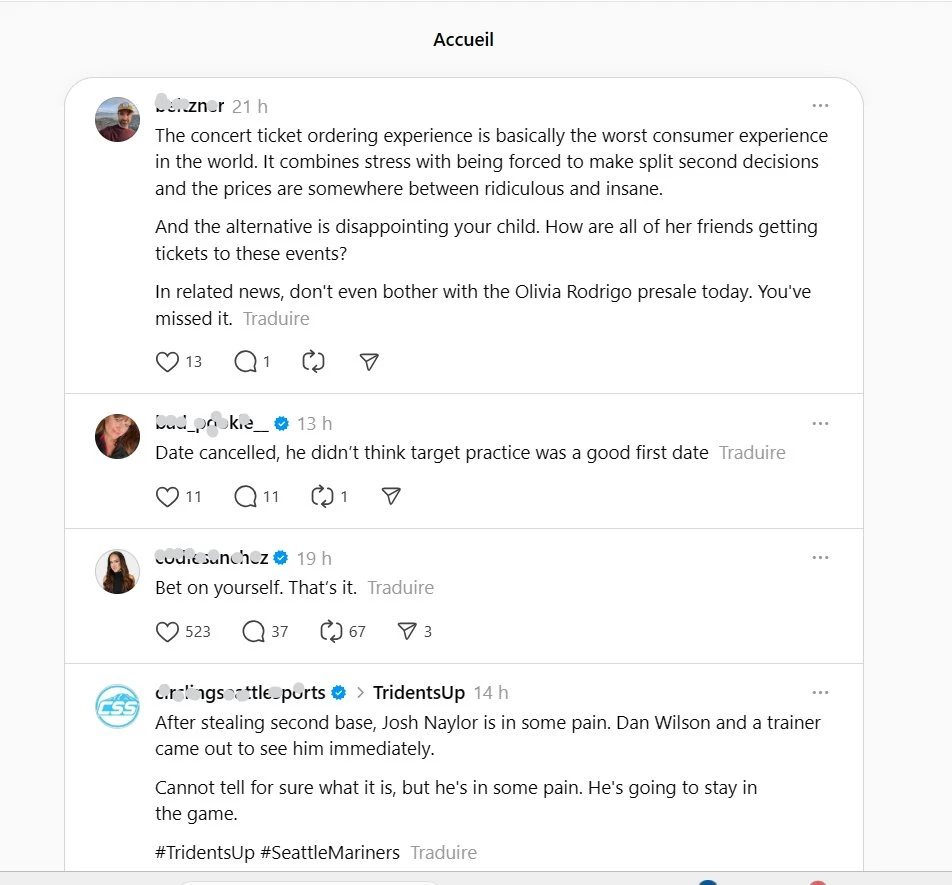
A Threads feed showing public posts — exactly the kind of data ScrapingBot can extract at scale.
5. Step-by-step: build your Threads scraper API API
Step 1 — Create a ScrapingBot account
To get started, ScrapingBot offers free access with 100 credits per month — no payment information required. If you already have an account, simply log in.
Step 2 — First API call: get your Response ID
Next, send a POST request to initiate the scraping job. This returns a responseId you will use in the next call.
POST http://api.scraping-bot.io/scrape/data-scraper

{
  "scraper": "threadsProfile",
  "url": "https://www.threads.net/@username"
}@username with the Threads handle of the profile you want to scrape. The scraper value must be exactly threadsProfile.
Step 3 — Second API call: retrieve your data
Once you have your responseId, send a GET request to fetch the result:
GET http://api.scraping-bot.io/scrape/data-scraper-response?responseId=YOUR_RESPONSE_ID&scraper=threadsProfileIf the scraping job is still running, you will receive a pending message:
{ "status": "pending", "message": "Scraping is not finished for this request, try again in a few" }In that case, simply retry the GET request until the data is ready. In practice, most requests complete within a few seconds.
Full Python example
import requests
import time

USERNAME = "your_username"
API_KEY  = "your_api_key"
AUTH     = (USERNAME, API_KEY)

TARGET_URL = "https://www.threads.net/@zuck"

# Step 1 — Initiate the scraping job
post_response = requests.post(
    "https://api.scraping-bot.io/scrape/data-scraper",
    json={"scraper": "threadsProfile", "url": TARGET_URL},
    auth=AUTH
)
response_id = post_response.json().get("responseId")
print(f"Response ID: {response_id}")

# Step 2 — Poll until the result is ready
while True:
    get_response = requests.get(
        f"https://api.scraping-bot.io/scrape/data-scraper-response"
        f"?responseId={response_id}&scraper=threadsProfile",
        auth=AUTH
    )
    data = get_response.json()

    if data.get("status") == "pending":
        print("Pending... retrying in 3 seconds")
        time.sleep(3)
    else:
        print("Data retrieved:")
        print(data)
        break
Parsing the response
Once the response is retrieved, here's how to extract the key fields cleanly:
def parse_threads_profile(raw):
    d = raw.get("data", {})
    return {
        "username":     d.get("username"),
        "name":         d.get("name"),
        "biography":    d.get("biography"),
        "external_url": d.get("externalURL"),
        "followers":    d.get("followers"),
        "verified":     d.get("verified"),
        "posts":        d.get("posts", []),
    }

profile = parse_threads_profile(data)
print(profile)
6. Going further
Once your Threads scraper is up and running, you can pipe the raw data into a CSV with pandas, store it in a database, or feed it into a social listening dashboard. Moreover, you can loop over a list of usernames to monitor multiple profiles in batch and track follower growth or engagement trends over time.
Furthermore, ScrapingBot also supports Instagram, TikTok, LinkedIn, and many other platforms via the same API interface — ideal if you're building a multi-source social data pipeline.
Ready to try it? Get 100 free credits when you sign up for ScrapingBot — no credit card required.
Try ScrapingBot for free →